
Global Search
Global search looks across your whole account at once: workflow titles, run titles, the steps inside them, the instructions written on those steps, and the comments people have left. Use it when you remember a phrase but not where it lives.
Open it
Press Cmd-K on a Mac or Ctrl-K on Windows from anywhere in the app, or click the search icon in the top bar. Type your term and press Enter.
What to search
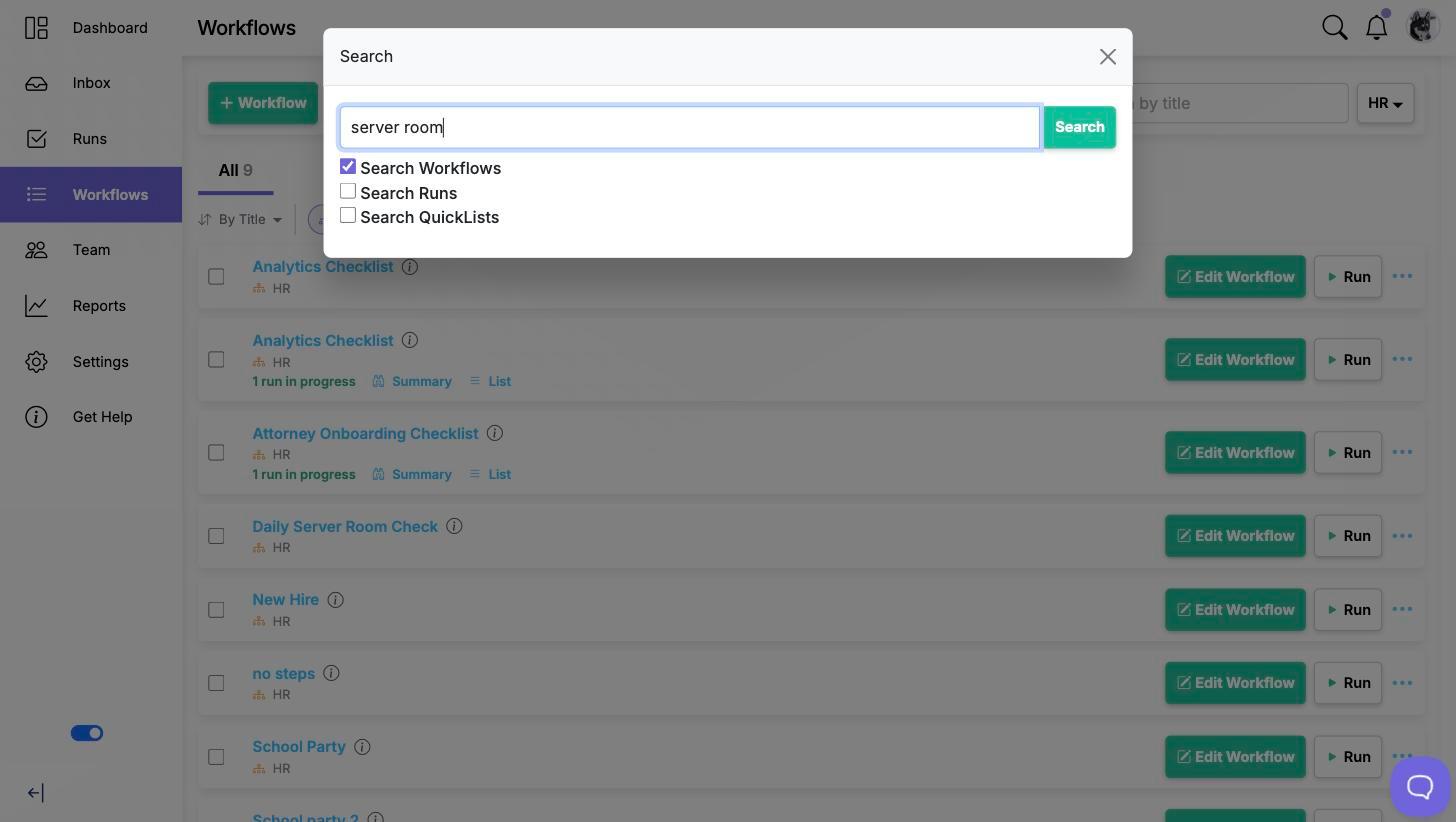
Under the search box are the things to search: Search Workflows, Search Runs, and Search QuickLists on plans that include them.
These start ticked to match the page you opened search from, which is usually what you want. Searching from the Workflows list starts on workflows; searching from the Runs page or your inbox starts on runs. Tick or untick them to override it.
Narrowing the results
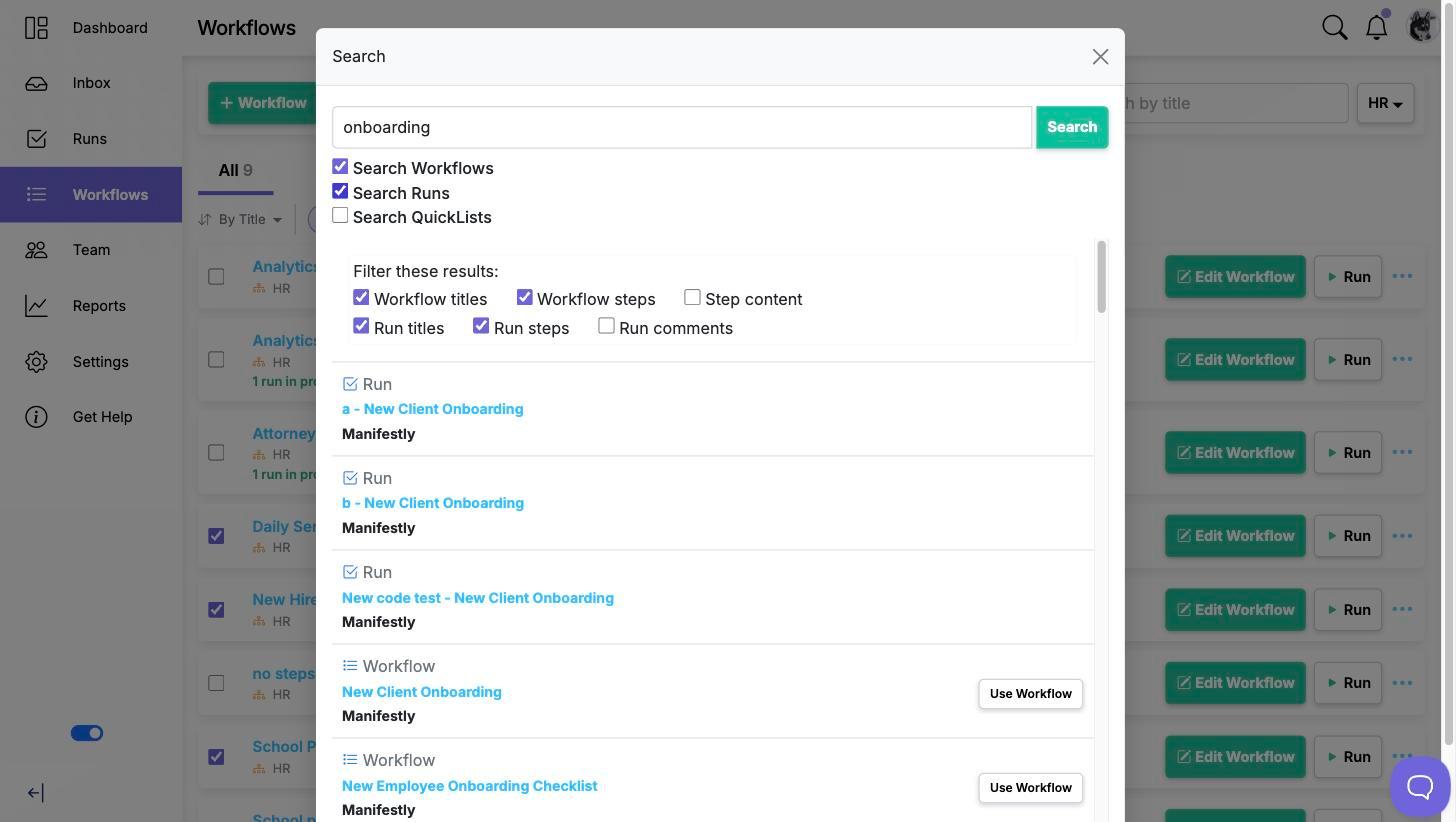
Once you have results, the filter panel above them controls how deeply each thing is searched. The boxes only appear for the things you are searching.
For workflows:
- Workflow titles, on by default
- Workflow steps, on by default
- Step content, off by default
For runs:
- Run titles, on by default
- Run steps, on by default
- Run comments, off by default
Step content and Run comments are off to begin with because they match the most text and would bury a title match. Turn them on when you are looking for a phrase written inside a step's instructions, or something somebody said in a comment. The results refresh as soon as you tick a box.
Reading the results
Each result is labelled with what it is, a run step showing the run it belongs to, who it is assigned to and its due date if it has one. Click a result to go straight to it: a step result opens its run or workflow with that step in view, rather than dropping you at the top of a long list.
Search returns up to 50 results at a time. If you are getting the cap back, add a word to the term or untick the broader options rather than scrolling.
What you can see
Search covers what you already have access to. If you are not an admin of the master account, results come only from the departments you are an internal member of. Two people searching the same term can therefore get different results, which is expected rather than a fault.
Video walkthrough
This video walks through searching across workflows and runs.