
Importing Workflows
If your process already exists as a list somewhere, a document, a spreadsheet, an email, you do not have to retype it. Import builds the workflow from that list in one go, and you tidy it up in the editor afterwards.
Open the importer
From the Workflows page, choose to import a new workflow. There are two tabs: Copy/Paste and Upload File. Both ask for a workflow title and the department it belongs to.
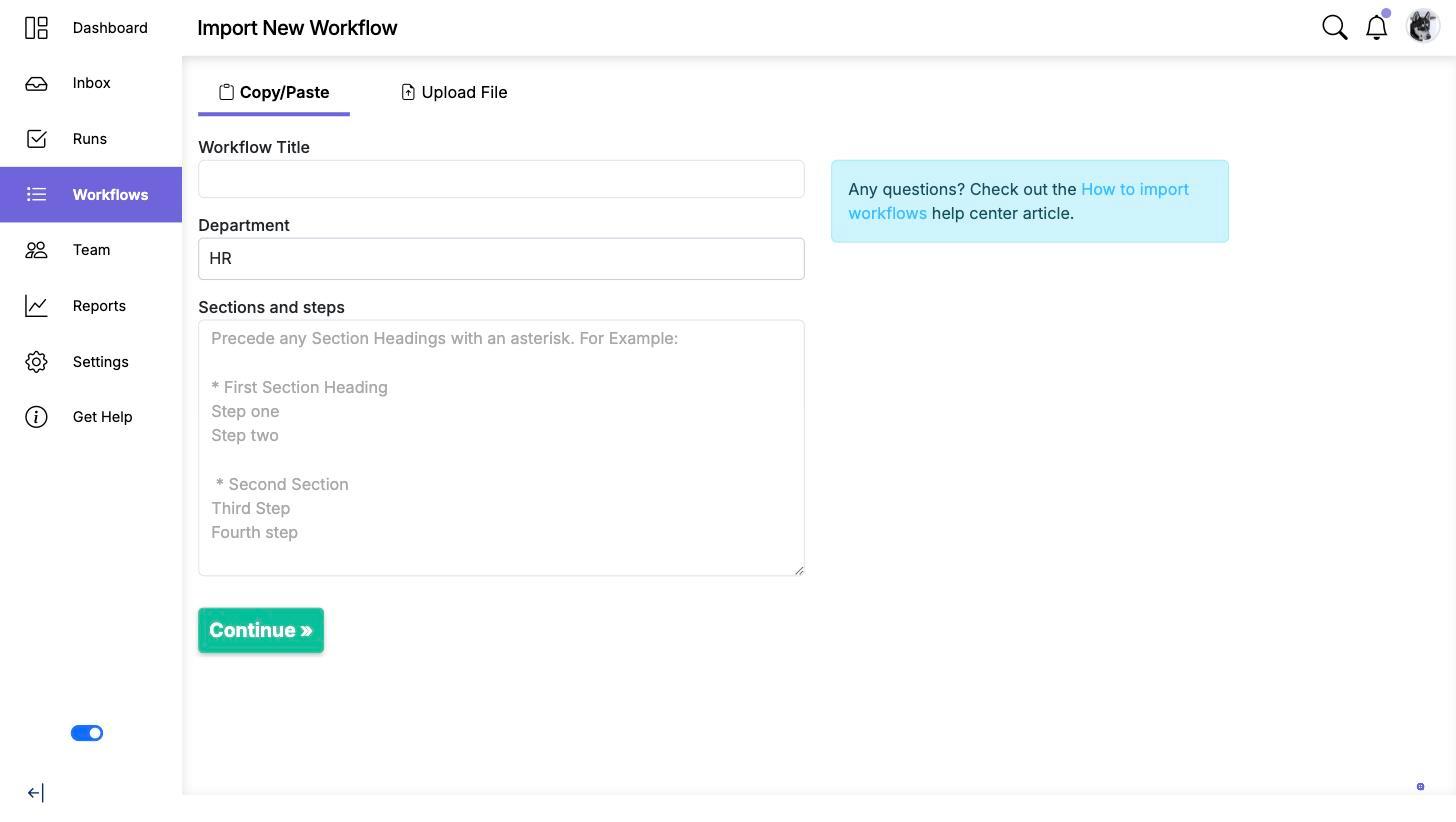
Copy and paste a list
This is the quicker of the two, and the one to use for a list you can select and copy from anywhere.
- Give the workflow a title and pick its department.
- Paste your steps into Sections and steps, one per line.
- Mark a section heading by starting the line with an asterisk. Everything after it belongs to that section, until the next asterisk.
- Click Continue.
So this input:
* Before the interview
Book the room
Send the candidate the joining details

* After the interview
Write up the scorecard
Tell the recruiter the outcome
produces two sections with two steps under each. Blank lines are ignored, so you can space it out to keep it readable.
Upload a file
Use this for a list that already lives in a spreadsheet. Give the workflow a title and a department, then upload a .csv file of steps.
Importing into a workflow that already exists
This page always creates a new workflow. To paste steps into a workflow you have already built, start from that workflow instead. See Importing Steps into a Workflow.
What import does not bring
Import builds the structure, the sections and the step titles. It does not carry assignments, due dates, data collection fields, instructions or conditional logic, because a plain list does not contain them. Expect to spend a few minutes in the editor afterwards adding those.
If what you want is to move a whole configured workflow between accounts, keeping all of that, export and import it as JSON instead. See Exporting a Workflow and Workflow JSON Schema Reference.
Starting from a description instead
If you do not have a list to paste, describe the process instead and let the AI draft the steps for you. See Creating Workflow Templates Using AI.
Video walkthrough
This video walks through importing a workflow from a list of steps.